Your trials dropped overnight. Know why before your coffee.
A Mac app that checks every iOS app you own once a day, ranks what changed by the money at stake, shows where it came from and tells you what to check next.
macOS on Apple silicon · App Store Connect, RevenueCat optional
Reads from
Writes with the AI you already use
App Store Connect shows numbers.
It doesn't tell you what broke.
A broken paywall, a lost keyword, a crashing release. Most developers find out days late, by accident. ASC Pulse is one feed of what changed across your apps, biggest first, not another dashboard.
Add your apps
Import them with your App Store Connect key and add RevenueCat if you use it. Up to 200 days of history load on day one.
Every morning
It runs from the menu bar once a day and compares each metric with the same weekday in past weeks, so normal noise stays quiet.
Biggest first
Every problem, opportunity and win gets a money figure, with the maths shown, so the one worth your morning is on top.
Work the list
Tick the checklist, leave a comment, close it as resolved or dismissed. It closes itself when the metric recovers.
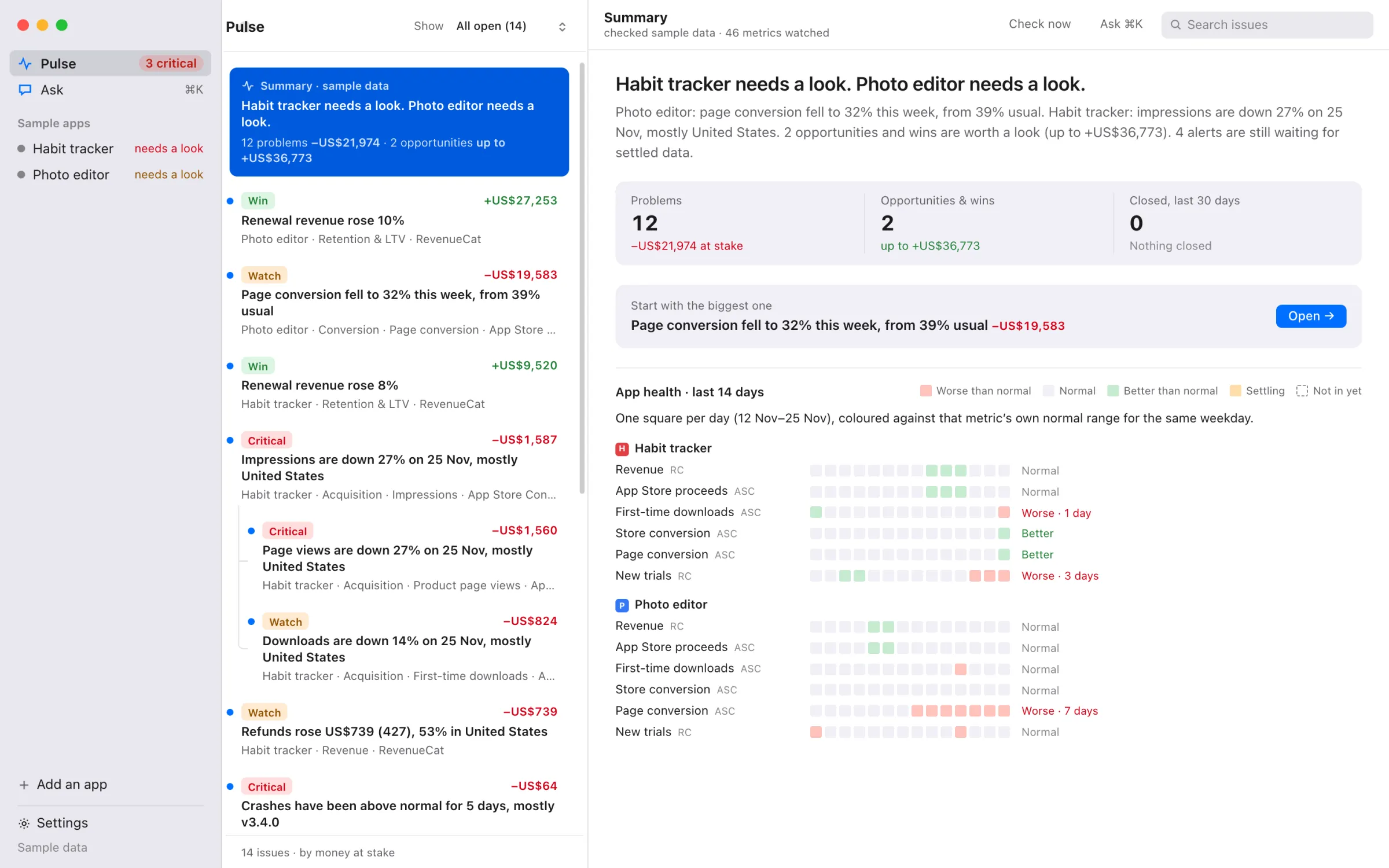
Problems, opportunities and wins, ranked by money.
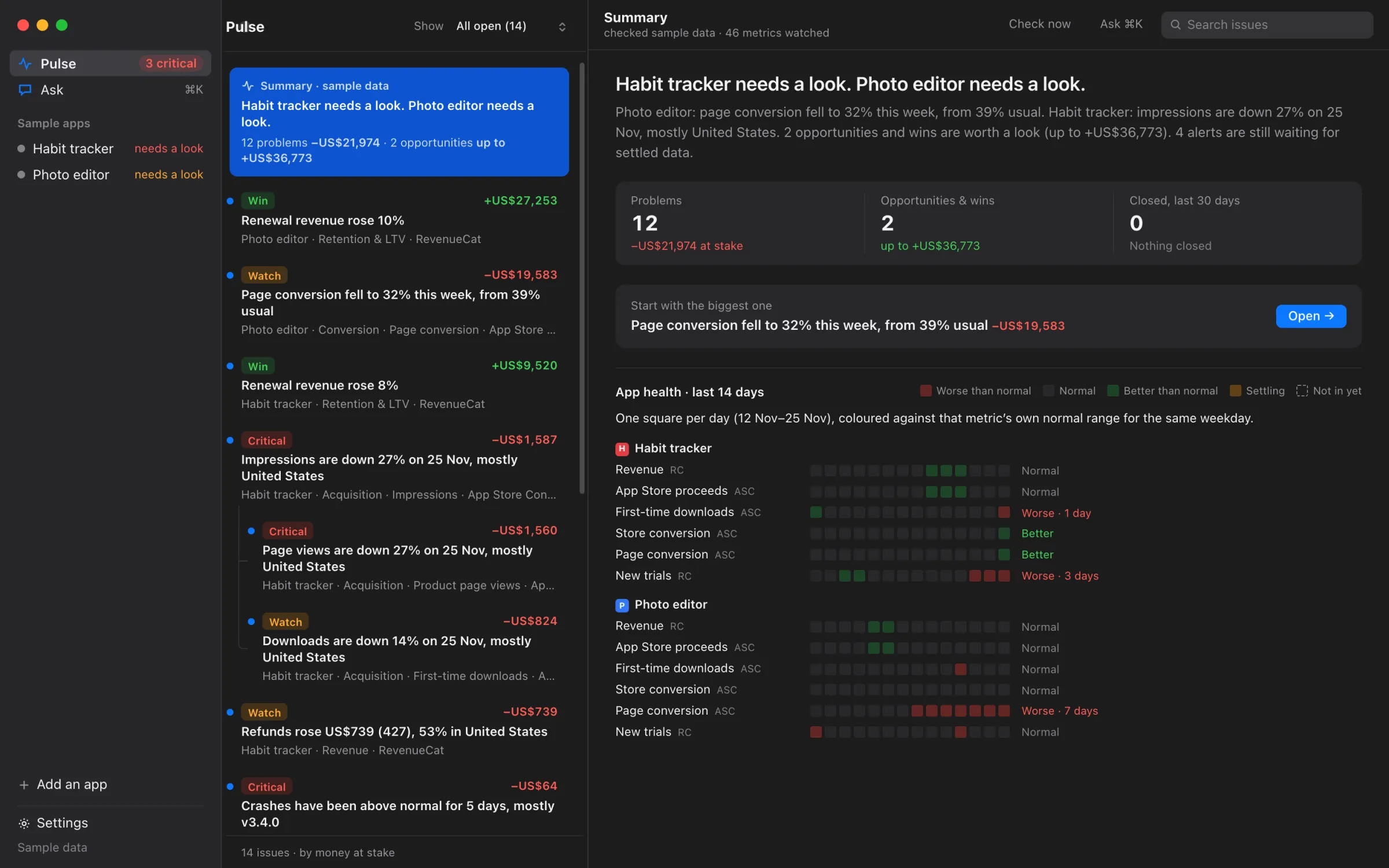
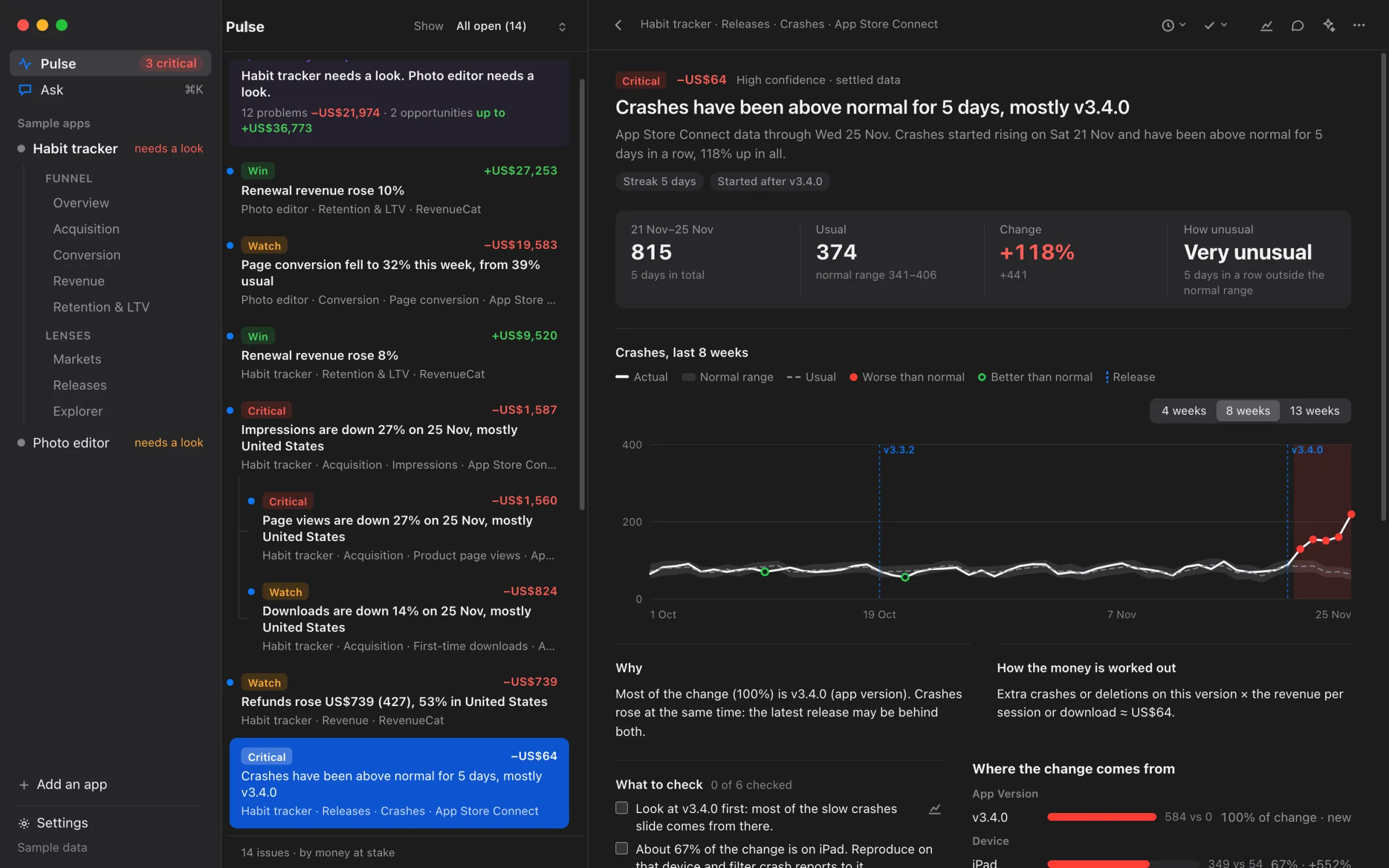
One feed across every app. The summary on top says how the day looks in one sentence, what's at stake, where to start, and gives every app 14 days of health, each square coloured against that metric's own normal range.
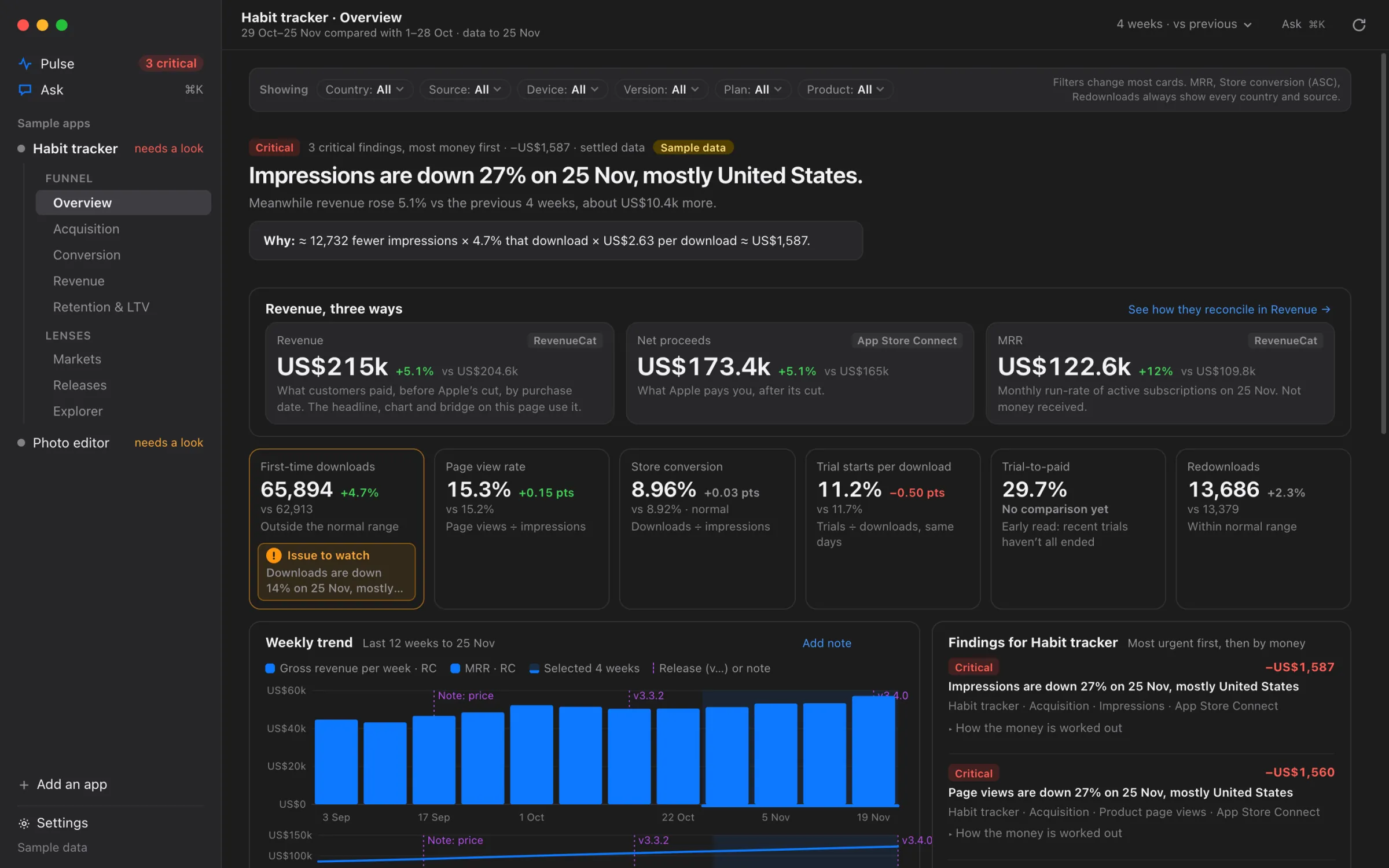
≈ 12,732 fewer impressions × 4.7% that download × US$2.63 per download ≈ US$1,587 at stake.
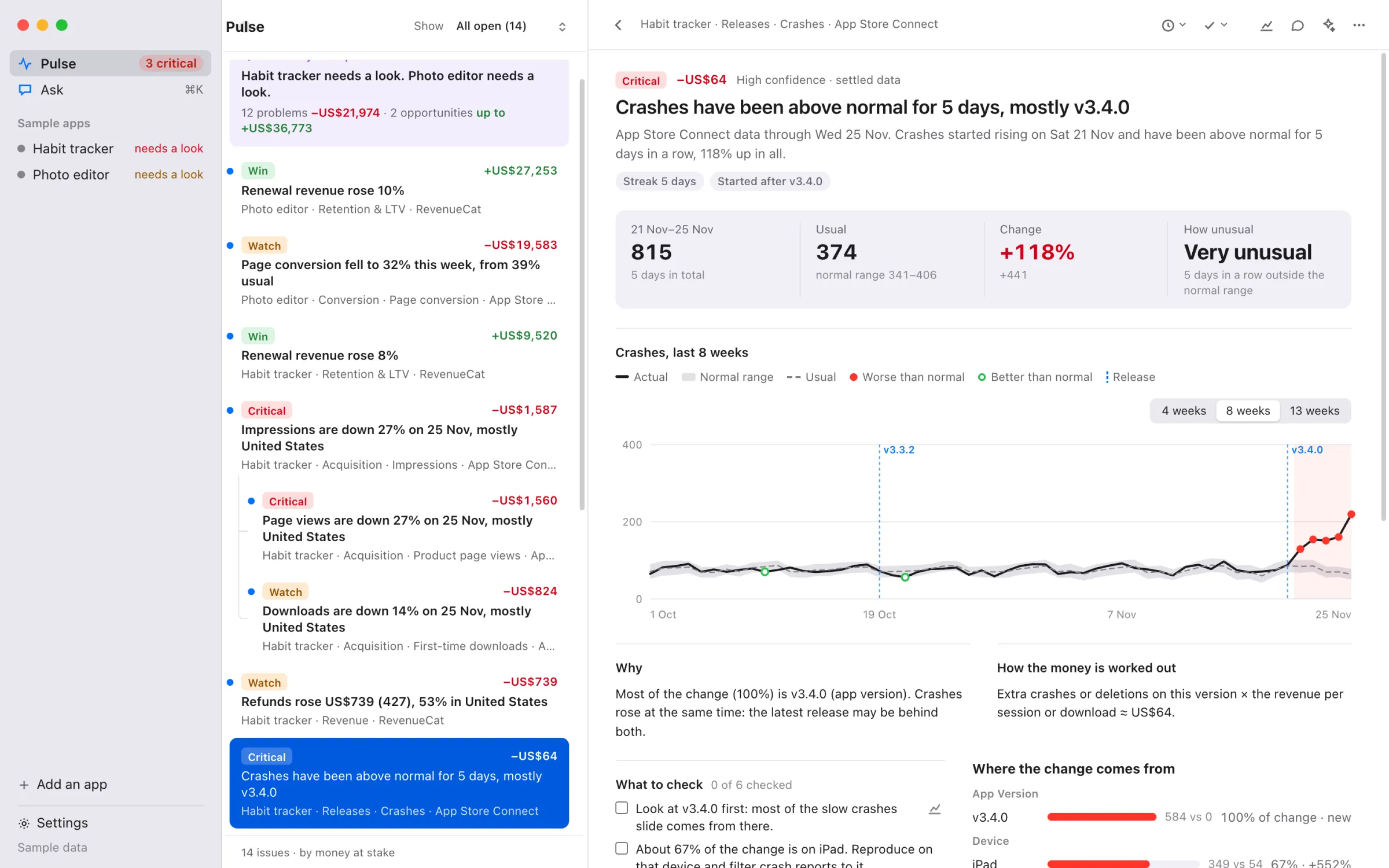
What changed, where it came from, what to check.
Each issue shows the numbers against their normal range, a chart with release markers, the version, country, source or device the change comes from, and 3 to 6 things to check, ticked off as you go.
- No false alarms from half-loaded days: changes on days Apple or RevenueCat can still revise wait as Provisional, then confirm or close themselves
- Comments on every issue, so you remember what you checked and why you closed it
- An optional AI note written from that issue's numbers only
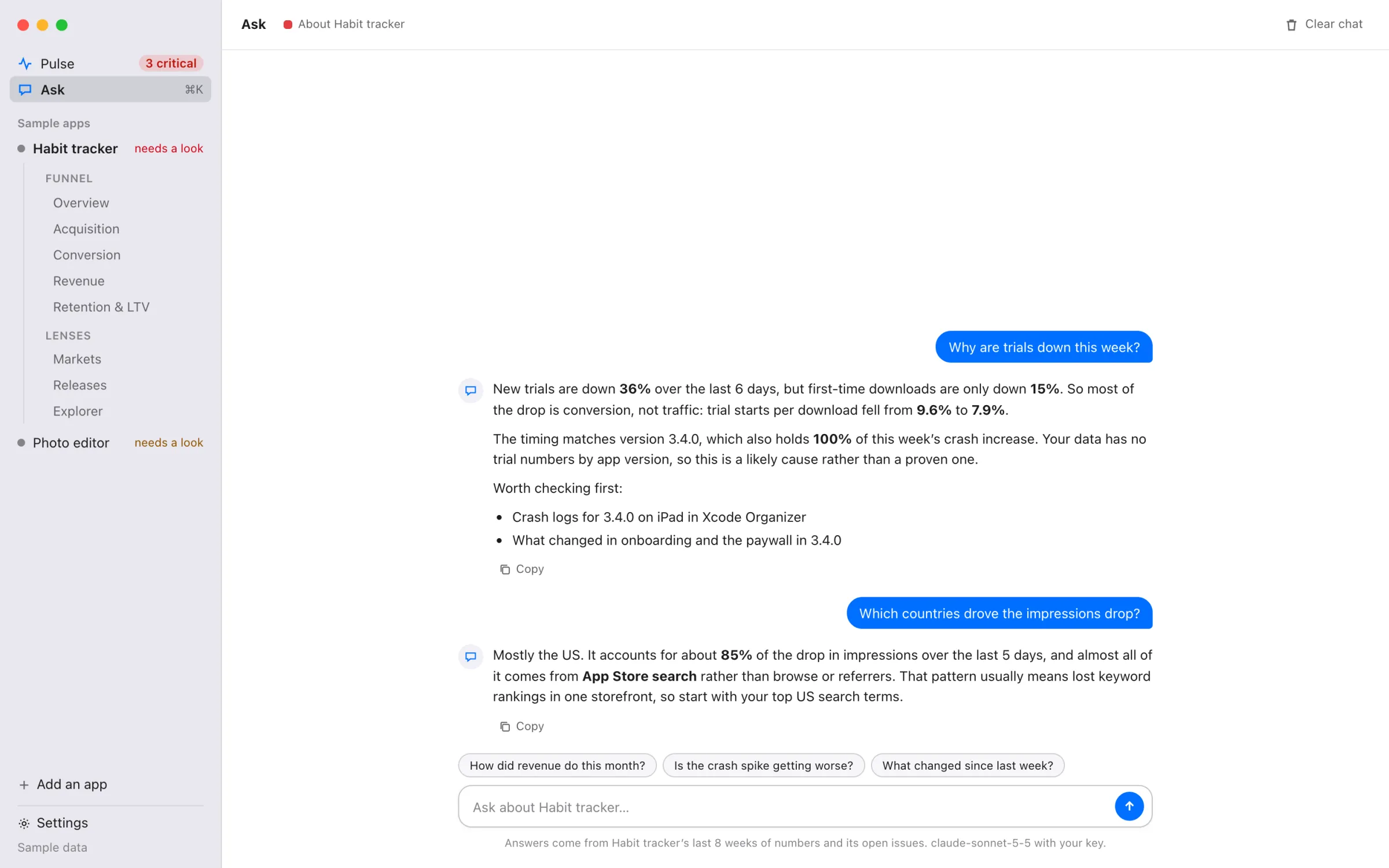
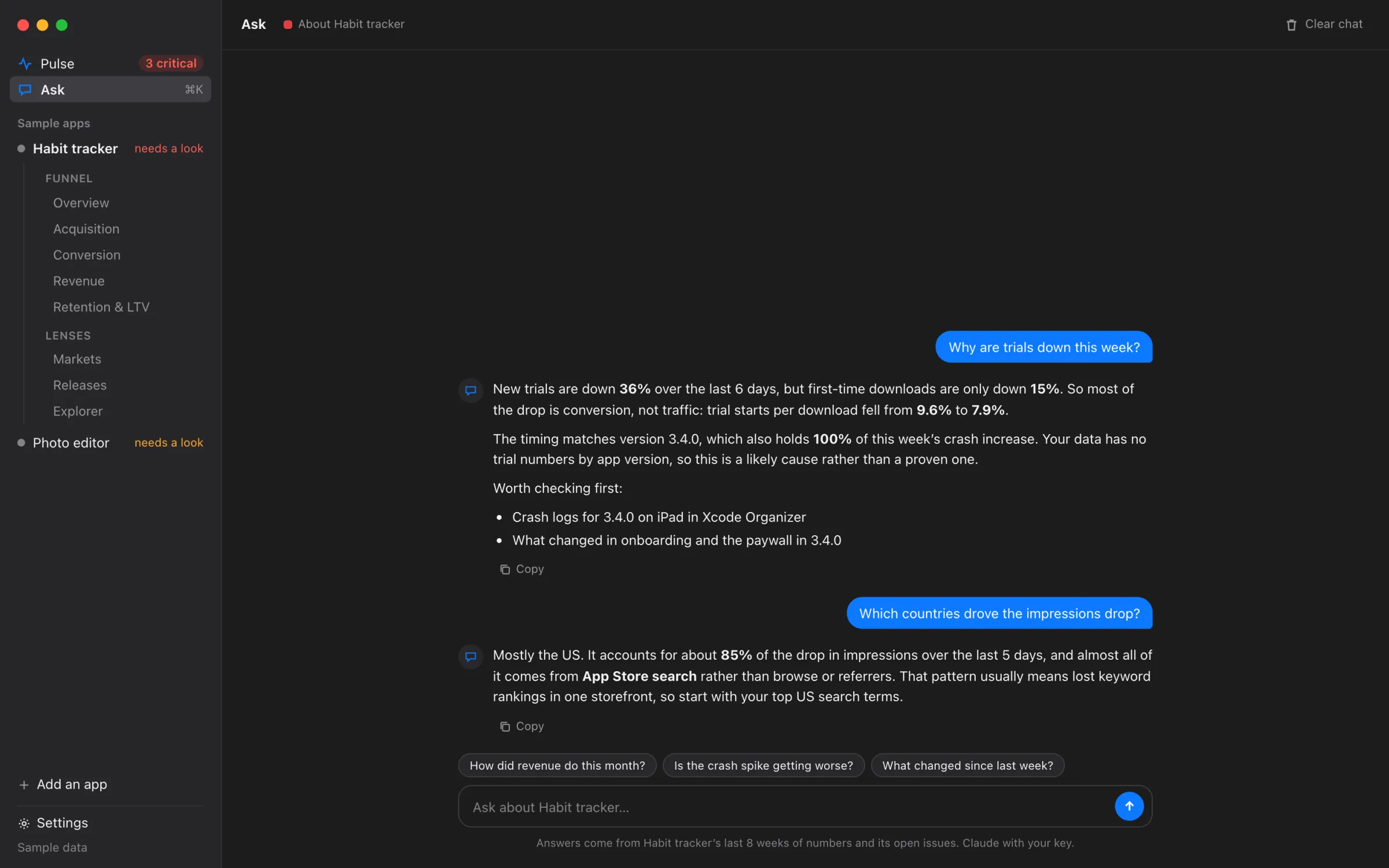
Ask your numbers a question.
Press ⌘K on any screen to ask about what you're looking at. Answers come from the app's last eight weeks of numbers and its open issues, and say what is likely and what is proven. A written analysis can run after every daily check.
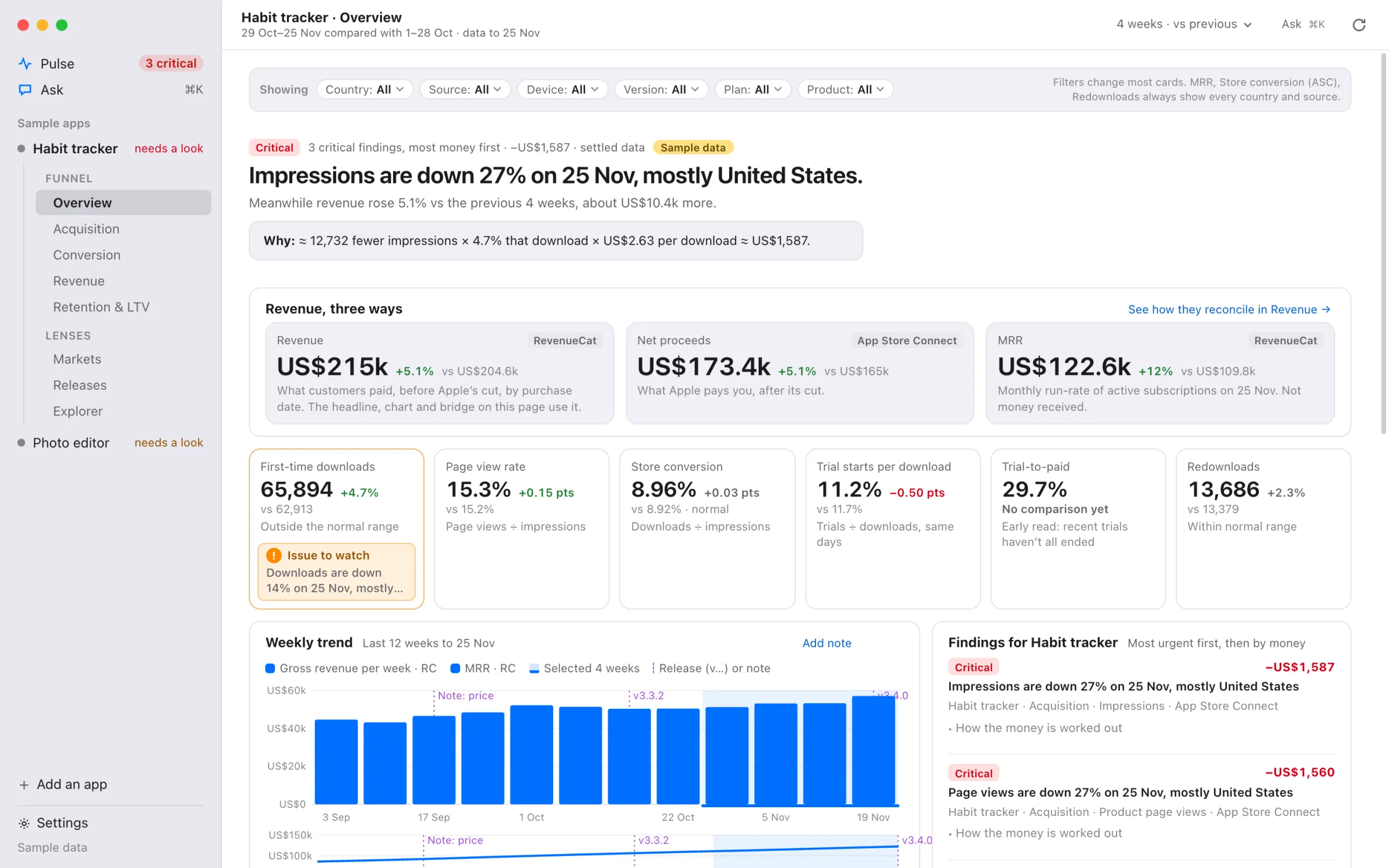
App Store Connect and RevenueCat, on one timeline.
Every page opens with one sentence on what changed and a Why line with the maths, then the numbers, then that page's findings. Filter by country, source, device, version, plan or product.
Uses the AI you already pay for.
Signed in to Claude Code, Codex, Gemini CLI, OpenCode or Cursor? It writes with that plan, no API key needed. Or run a model locally with Ollama, or use OpenRouter, an Anthropic or OpenAI key, or any OpenAI-compatible server. AI adds nothing to your bill from us.
Written analysis · Habit tracker · via Claude Code

Verdict  Yes, something is really wrong. Since v3.4.0 reached users on 19 Nov, crashes are up 119% and new trials are down 42%.

Likely cause  v3.4.0. It holds 100% of the crash increase, about 67% of it on iPad. Trials fell in the same days.

Check next  Xcode Organizer → Crashes, filtered to 3.4.0 and iPad. Then onboarding and the paywall in 3.4.0 vs 3.3.2.
Quiet until something matters.
A false alarm costs more trust than a missed small dip, so small apps see few issues and half-loaded days never raise one.
Lives in the menu bar
See today's status without opening a window. A Dock badge counts open issues.
One notification per run
Never one per issue, and never for data that is still settling. Quiet hours respected. Clicking it opens the top new issue.
Catches up after sleep
Closed the lid at 9am? The daily check runs as soon as your Mac wakes.
Keyboard first
Real menus and shortcuts. ⌘1 for Pulse, ⌘⌥1 to jump to an app, ⌘K to ask about the screen you're on.
Checklists and comments
Every issue comes with 3 to 6 things to check and room for notes. Both are saved across relaunches.
Updates itself
Signed and notarized. New versions download in the background and install on restart.
Your numbers never leave your Mac.
No account, no cloud dashboard, no server of ours in the middle. The app talks only to Apple, RevenueCat and the AI provider you choose, and that provider only ever sees a summary.
- Up to 200 days of history, kept on your Mac
- API keys encrypted with a key held in the macOS Keychain
- Your App Store Connect .p8 is read on demand, never copied
- HTTPS only; local AI tools run read-only, with agent tools switched off
- Honest numbers: estimates labelled, sources named, the maths behind every money figure shown
One price. Every app you own.
Launch price. Pay once, use it on your Mac.
- Unlimited apps
- Pulse, issues and every Analytics page
- Ask and written analysis with your own AI
- No subscription, no account
macOS on Apple silicon · License key by email · 14-day refund
Questions
Who is it for?
Indie iOS developers and small studios with one to ten live apps, especially subscription apps. It also suits a growth person looking after several apps for a client.
What do I need to connect?
An App Store Connect API key (.p8). RevenueCat is optional and adds trials, subscriptions and revenue detail. You can also import report files by hand.
Why is there nothing on the first day?
Apple takes 24 to 48 hours to start delivering analytics reports for a new key. The app loads a one-time history snapshot and RevenueCat data right away, and fills in the rest as Apple's reports arrive.
How does it decide something is wrong?
Each metric is compared with the same weekday in the previous four weeks, with its normal noise measured. Rules look at single days, streaks and whole weeks. A value inside its normal range never raises an issue, and a change on a day that Apple or RevenueCat can still revise opens as Provisional: it confirms a few days later or closes itself as Retracted.
How is the money at stake worked out?
From your own numbers, and the working is shown on every item. A drop in impressions, for example, is the missing impressions × the share that usually download × what a download is worth to you (net proceeds ÷ first-time downloads over the period).
What's in Analytics?
Overview, Acquisition, Conversion, Revenue, and Retention & LTV for each app, plus Markets, Releases, Explorer with CSV export, and All apps. See every page and metric.
Do I need an AI subscription?
No. Daily checks, Pulse and Analytics work without AI. For Ask and written analysis, use Claude Code, Codex, Gemini CLI, OpenCode or Cursor signed in on your Mac, local Ollama, OpenRouter, an API key, or any OpenAI-compatible server.
Where is my data stored?
On your Mac, in your home folder. Keys are encrypted. Nothing is sent to us.
Does it run on Intel Macs?
Not at the moment. It's built for Apple silicon (M1 and later).
Is it on the Mac App Store?
No, it's a direct download, signed and notarized by Apple, and it updates itself.